Cookie choices
None of these are needed to browse the site. Pick what you're comfortable with, and you can change it later from the footer.
Put a live tool inventory on WordPress, Squarespace, Wix or another website. Tool owners update their own listings in ToolPool.Garden, and the embedded pool updates automatically.
You'll need to be an admin of the pool and able to edit the website where you want the tool inventory to appear. The embed code is ready to copy and paste.
Sign in to ToolPool.Garden, open Tool Pools and choose the pool you run. On the pool page, click Embed next to Invites.
Open Tool Pools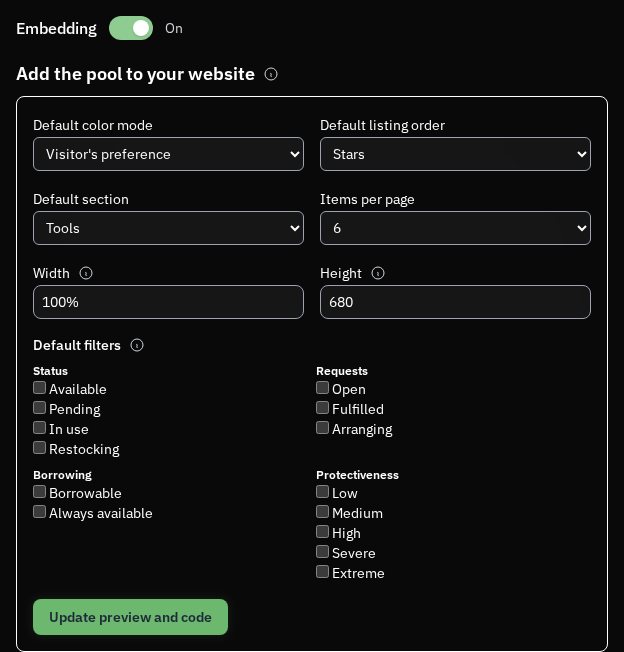 Open the full-size image
 Open the full-size image
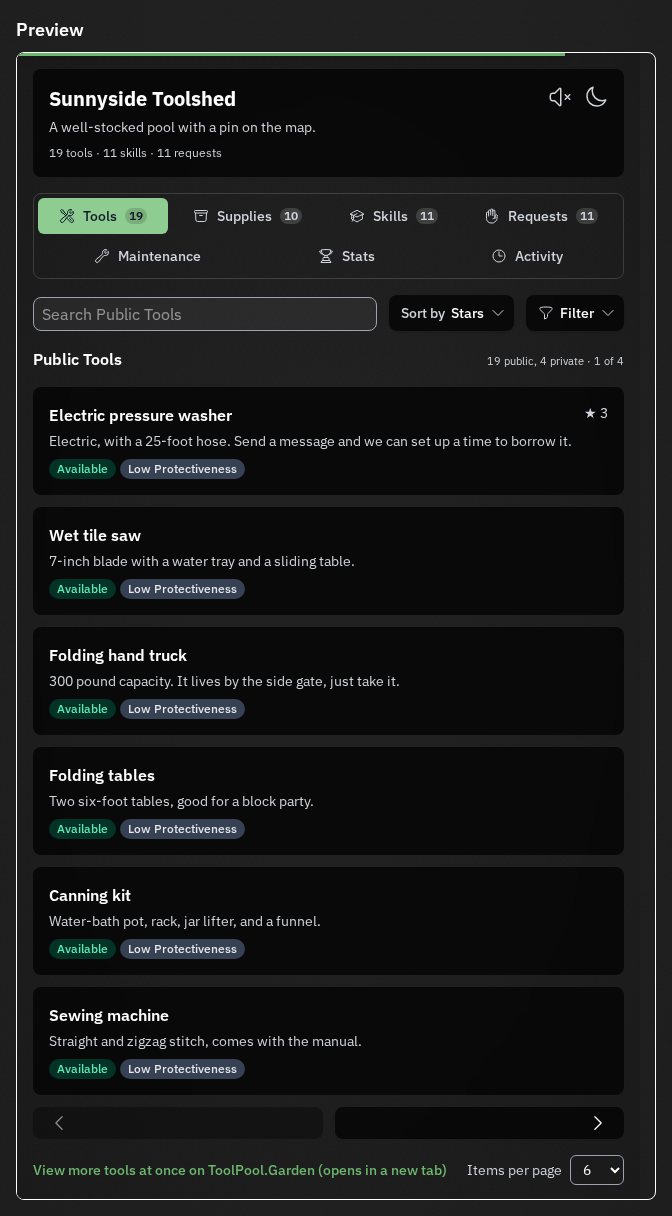
Visitors see the pool's name, description and logo, then browse its public tools, supplies, skills and requests. The same switcher has Maintenance, Stats and Activity. Search, sort and filters stay on the listing sections. Availability and protectiveness apply on Tools and on Supplies, and borrow tracking applies on Tools. Request status applies on Requests. Listings open their full public pages on ToolPool.Garden in a new tab. Each section has its own previous and next controls when there is another batch to browse.
The embedded view loads when embedding is on and the pool is public and open. You can leave the code on your website if the pool becomes private, disabled or paywalled; it will load again when the pool is available.
Turn the Embedding switch off from the same Embed page to stop the pool view from loading on every website where it has been embedded.
This tutorial was last updated on October 2026. If this isn't making sense anymore, please let us know at [email protected] and we'll try to update things as soon as possible.
Reconnecting to ToolPool.Garden...